TView requires a compatible USB-C thermal camera. It is not a standalone phone-camera app and cannot produce thermal images without the external device.
Compatible device family: Thermal Master P2 Pro, InfiRay P2, and InfiRay P2 Pro USB-C Android cameras.
The app cannot function unless the thermal camera is connected and Android grants USB access.
The Thermal Master P2 Pro appears protocol-compatible with the InfiRay P2 / P2 Pro family, so TView is built around that P2-class workflow.
TView is a Flutter-based thermal imaging application for P2-style USB-C cameras. Specialized native drivers connect directly to the camera so Android devices can stream, analyze, and capture thermal data with a clean inspection-focused UI.
I own a Thermal Master P2 Pro and was disappointed by the available official apps: too many permissions, bloated feature sets, and interfaces that got in the way of live inspection. TView is my lightweight, privacy-respecting alternative focused on reliable thermal viewing.
TView is an independent app and is not affiliated with Thermal Master or InfiRay.
Inspection data stays on the device; there is no cloud backend or remote telemetry.
No account, analytics, advertising SDK, or online service is required for viewing.
Android camera access is used for the external USB video device; microphone access is only relevant when audio commentary is enabled.
Direct USB access through native thermal_camera drivers for low-latency 25 Hz streaming.
Raw 256 x 192 thermal frame processing with about 0.015°C precision.
Optimized for Android USB-OTG workflows with connected P2-class thermal cameras.
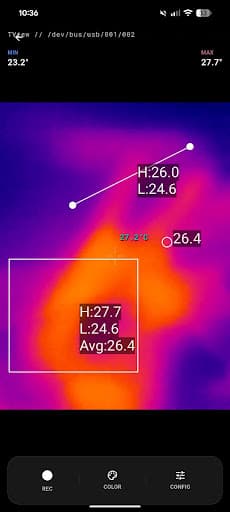
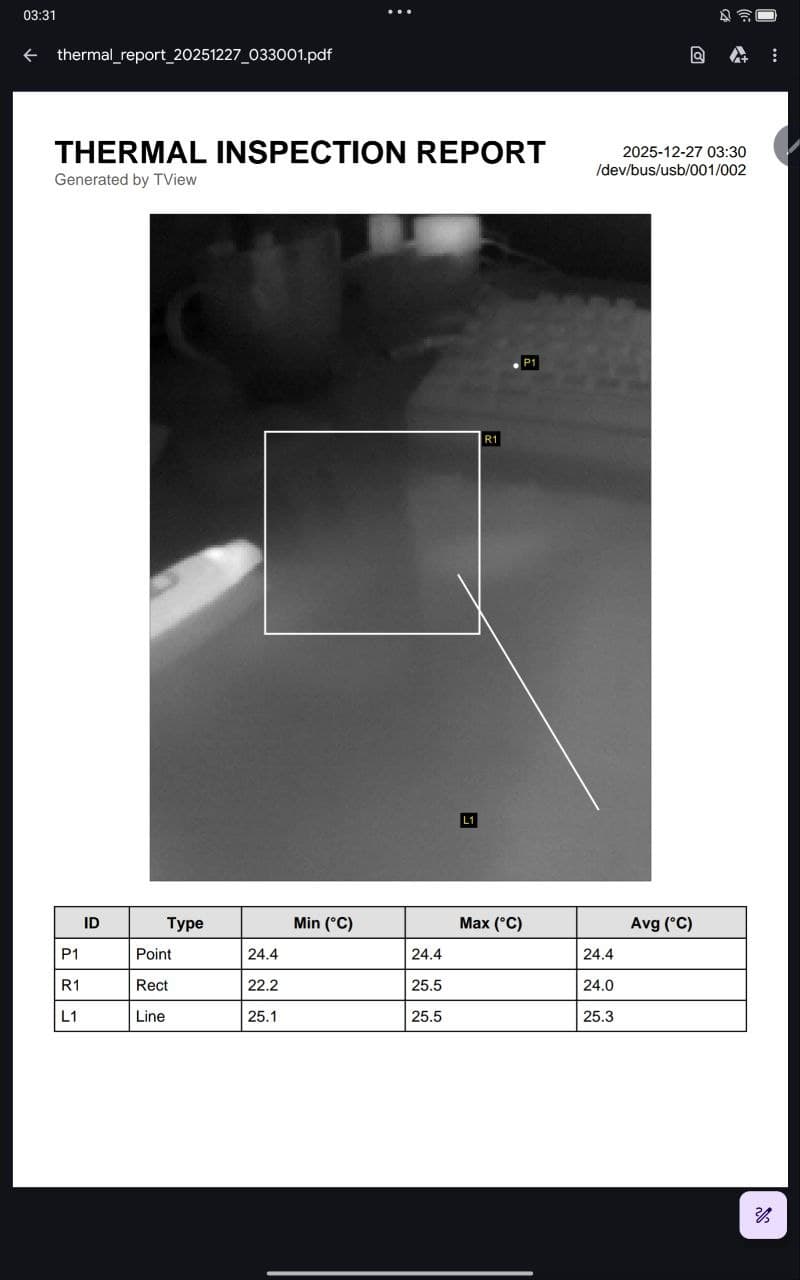
Point meters for precise local temperature readings.
Line tools calculate min, max, and average temperatures along a path.
Rectangle regions of interest monitor area-level thermal distributions.
Global HUD statistics keep scene min, max, and center temperatures visible.
Real-time charting tracks temperature history during an inspection.
Professional palettes include White Hot, Black Hot, Iron Red, Medical, and Rainbow modes.
High and low gain modes support sensitivity-focused viewing or wider temperature ranges.
The same point, line, and rectangle overlays used during live viewing can become structured inspection output, pairing thermal imagery with min, max, and average temperature values.